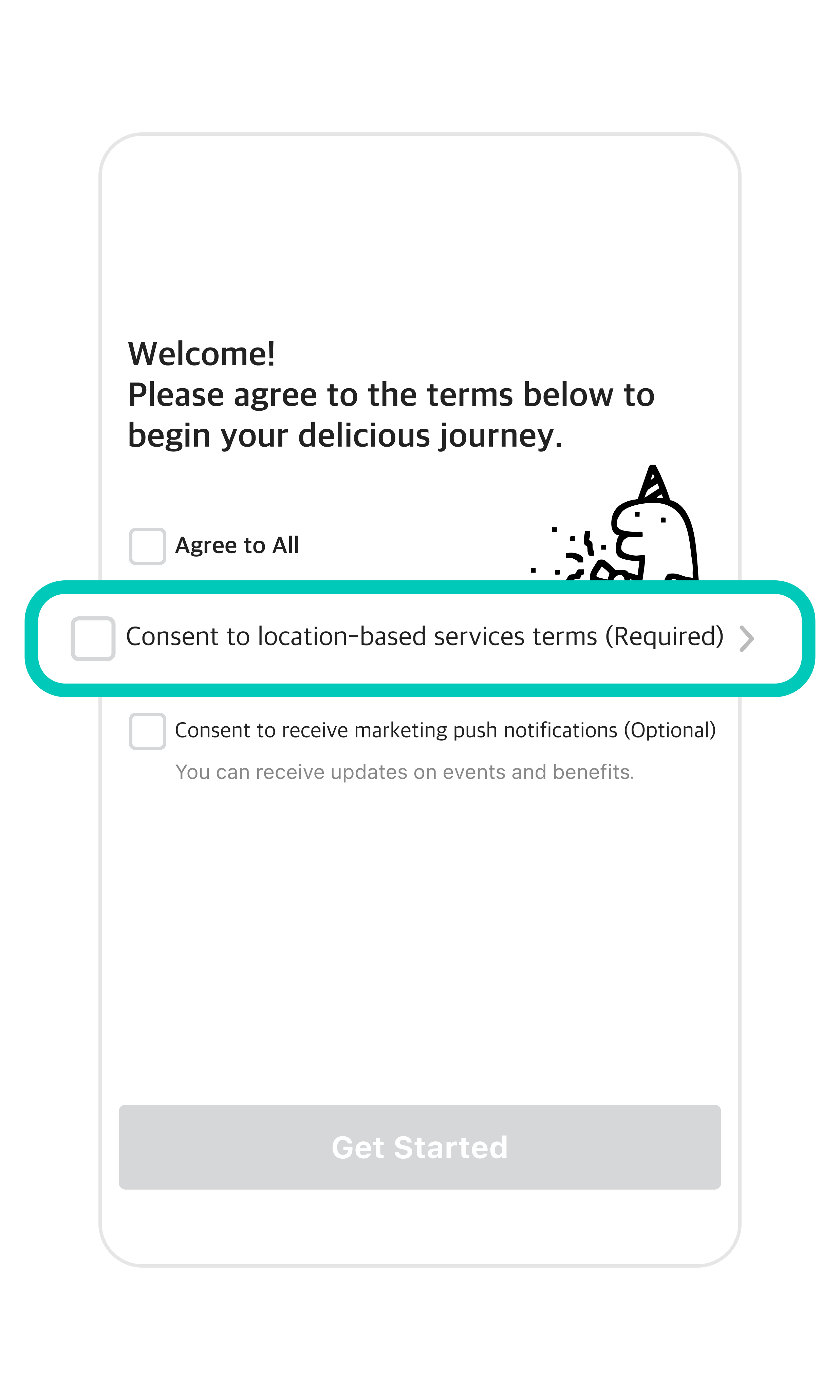
1Open the Baemin app, check the boxes to agree to the Terms and Conditions, and tap Get Started.You must check the Required boxes to use the app.Skip or check Optional boxes based on your preference.
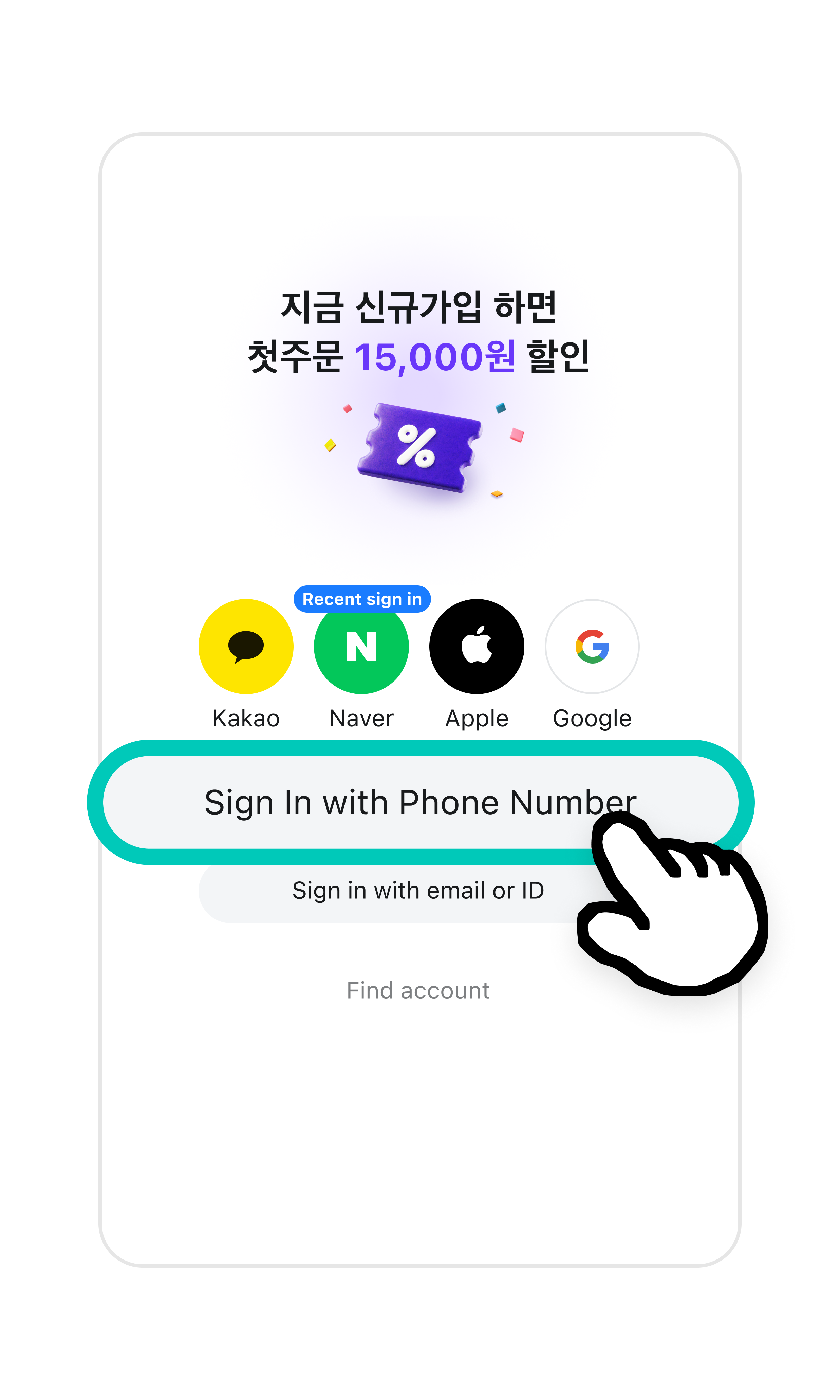
2Tap Sign In with Phone Number.You can also link your KakaoTalk or Naver account for an easier login.
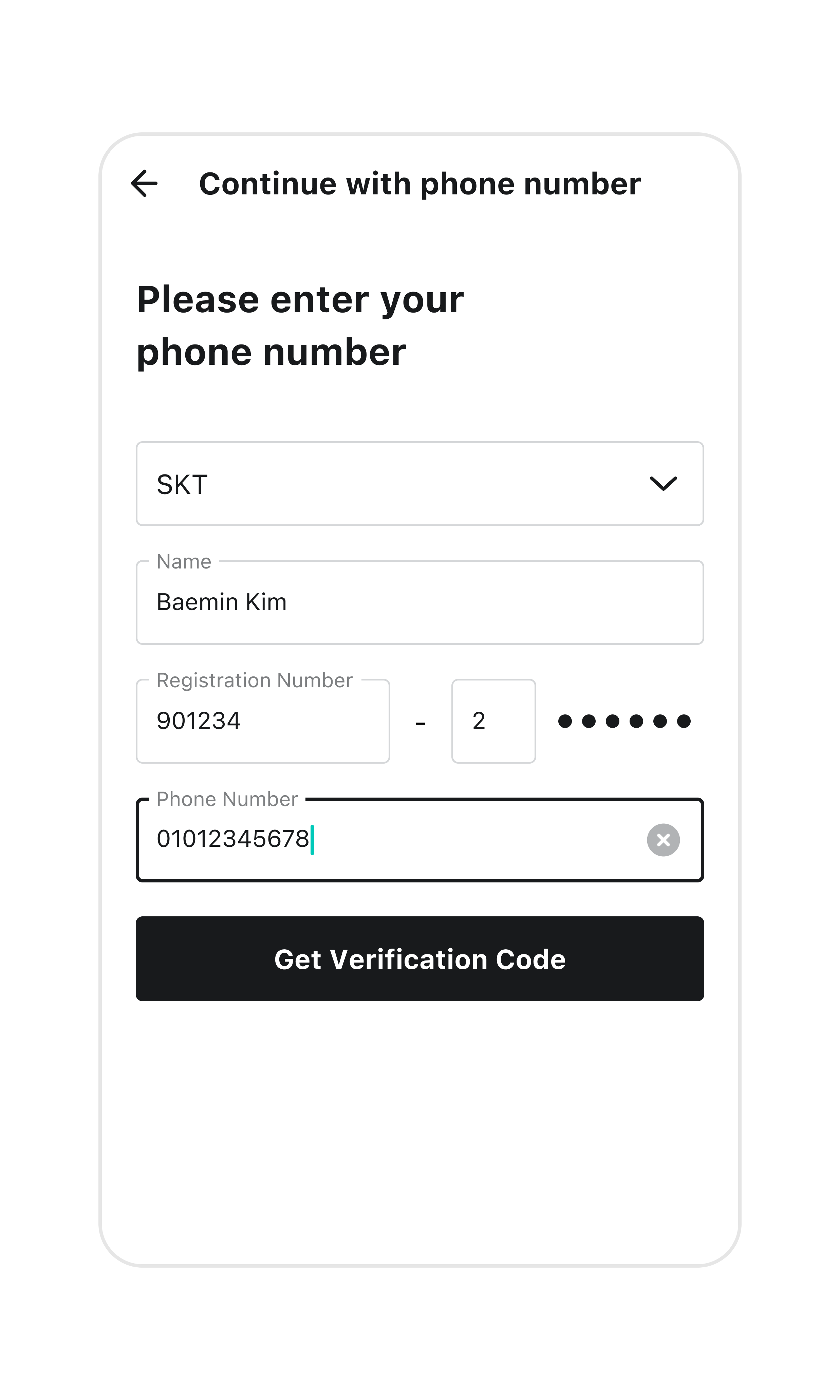
3Follow the instructions to enter your name, resident registration number, phone number, and mobile carrier, then tap Get Verification Code.
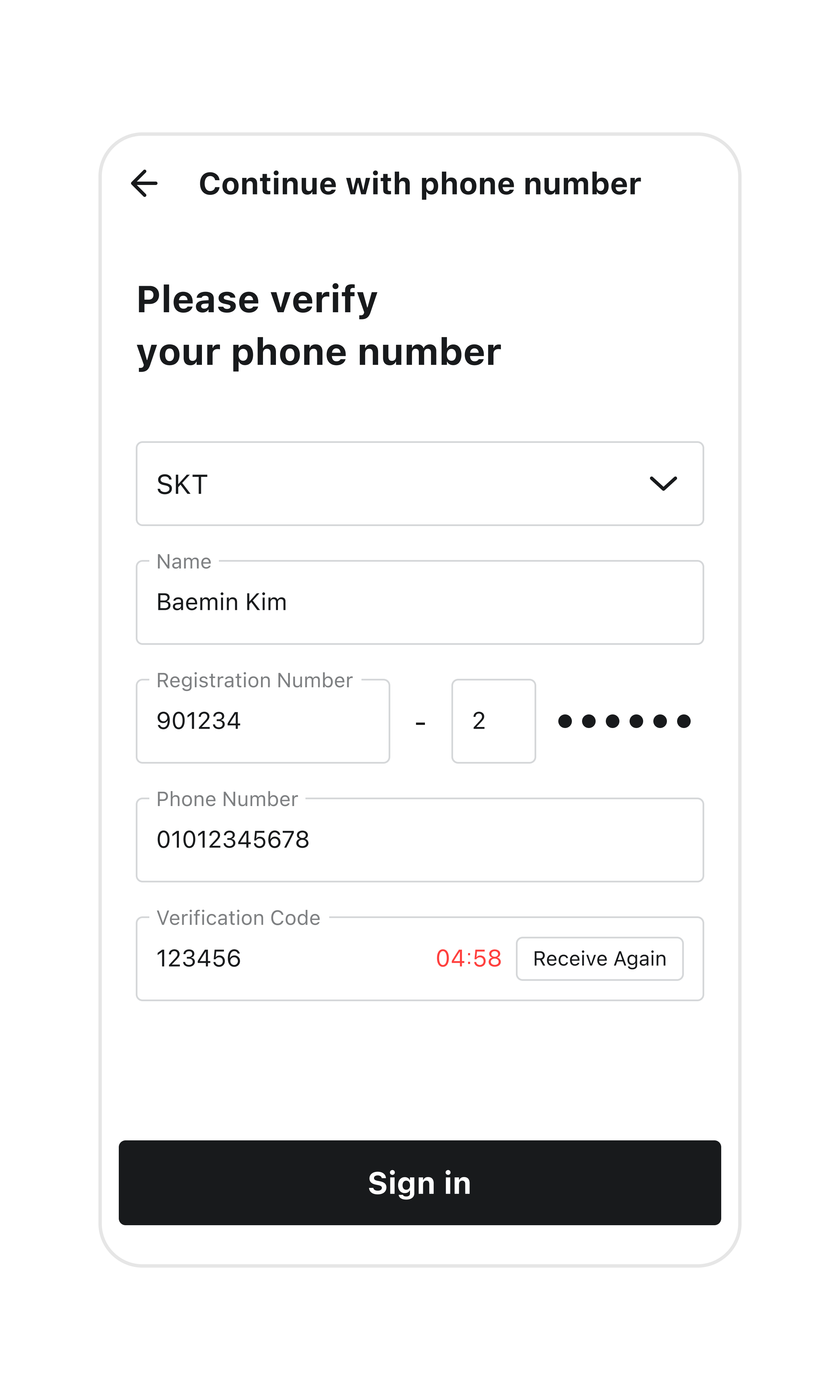
4Enter the 6-digit verification code sent via text message.A verification code is required to confirm that the phone number you provided is actually yours.