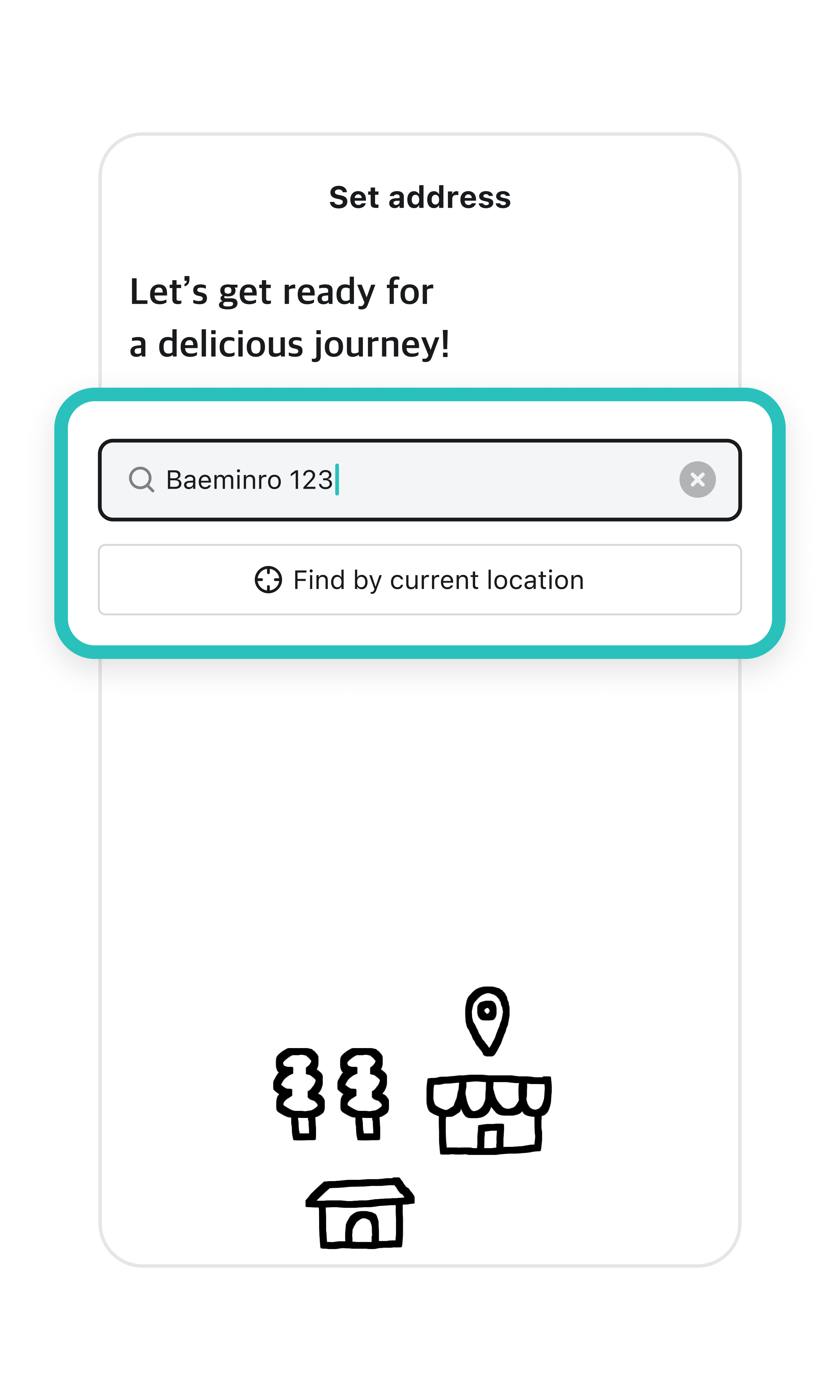
1After signing up, you need to register a delivery address. Search for the address where you want your orders delivered.
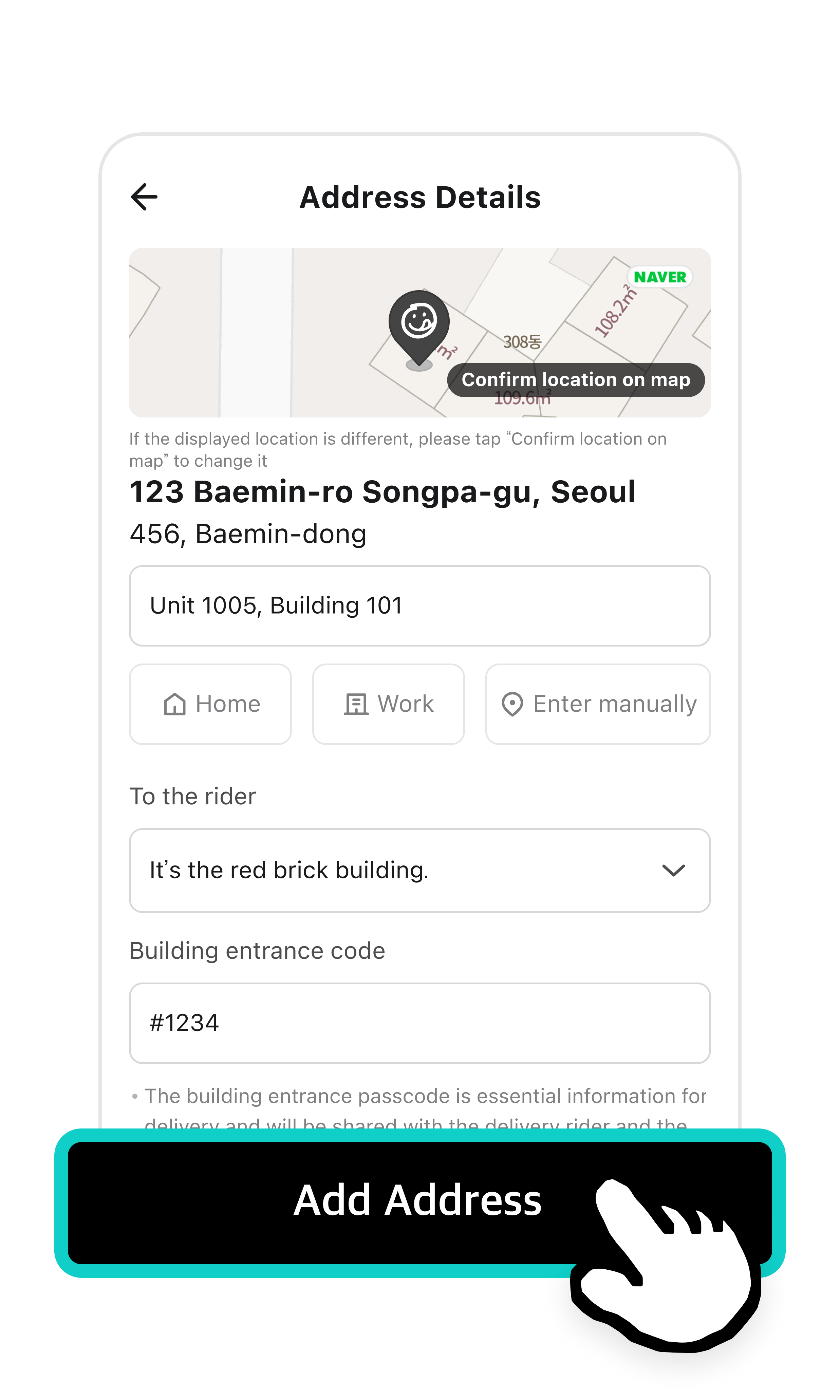
2Enter your detailed address and tap Add Address.
Detailed address : The final part of your address. Include details like your building name, building number, or unit number.
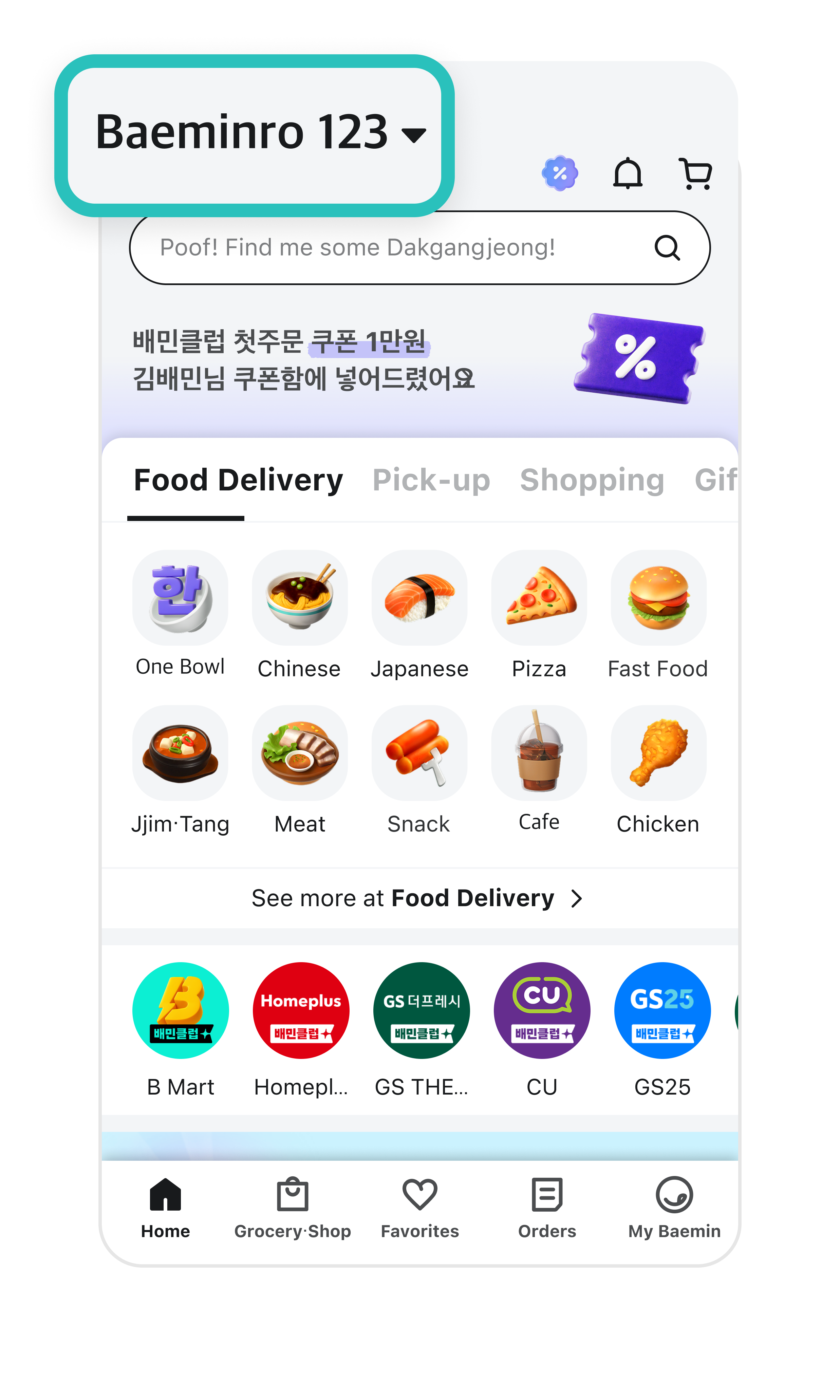
3 Your delivery address is now saved. Your orders will be delivered to the address you’ve chosen. You can update your location by tapping the address bar at the top.