Getting Ready
Exploring the Home Screen
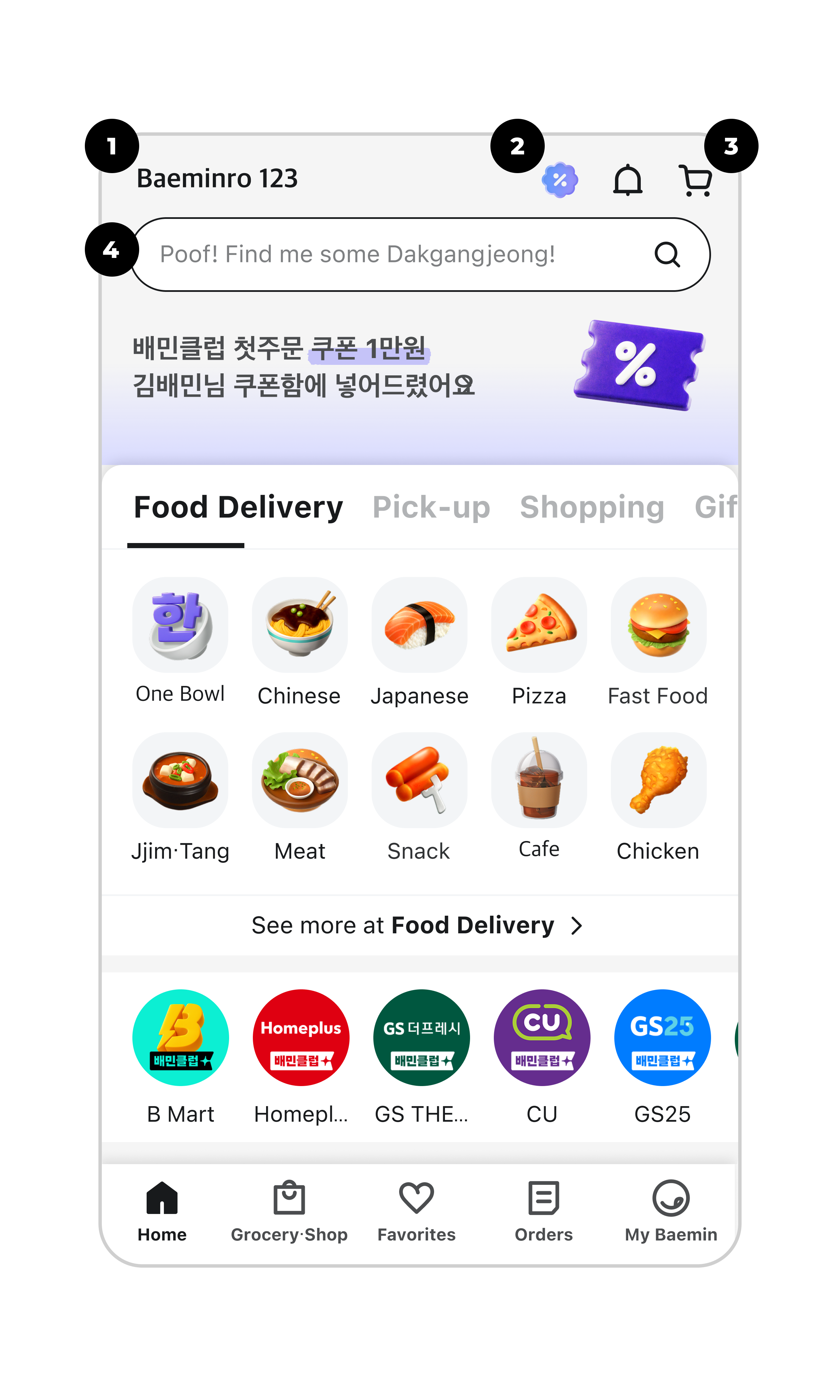
1Address
You can select your address when placing an order. You can also save frequent spots like Home or Work.
2Benefits
You can see all your available benefits, such as discount coupons.
3Cart
Items you want to order will be saved in your cart. You can add or remove items here.
4Search Bar
You can quickly find specific dishes or stores.
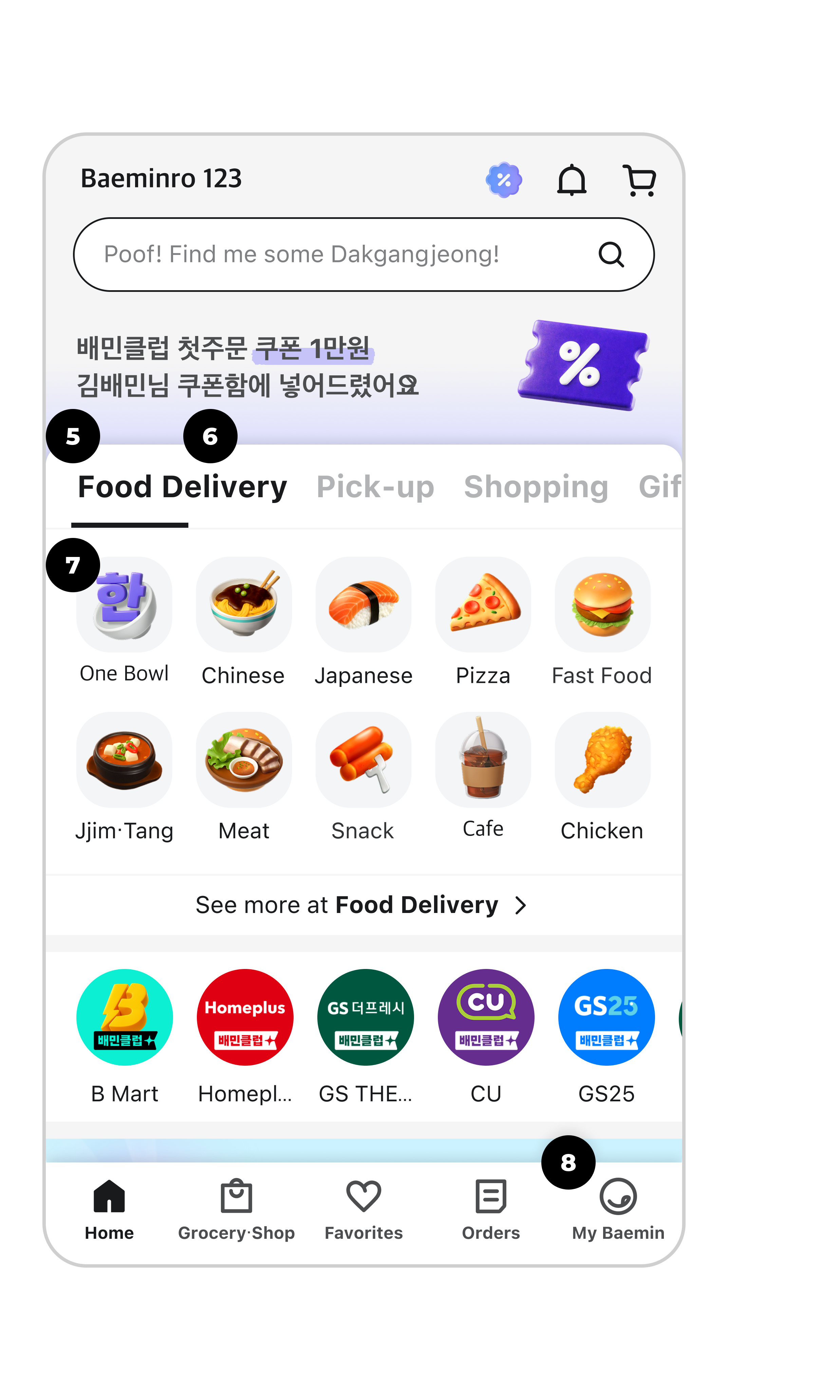
5Food Delivery
You can order food for delivery. Delivery options include Saver Delivery, Express Delivery, Store Delivery, and Pickup.
6Pickup
You can grab your order directly from the store and save on delivery fees.
7Meal For One
You can order just for yourself with no minimum order value required.
8My Baemin
You can check your account information, including your favorites and order history.
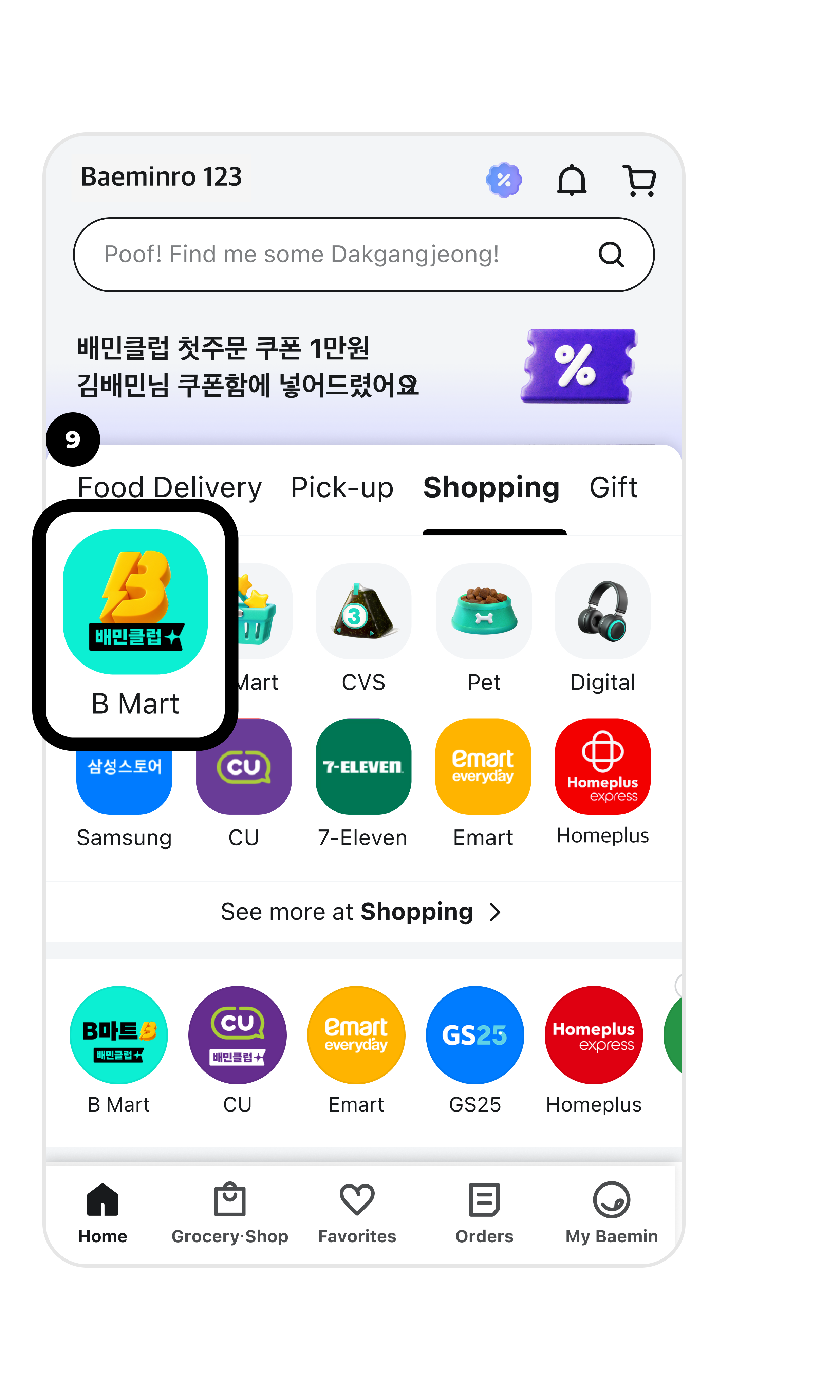
9Grocery & Shopping
You can order a wide variety of products, including daily necessities, side dishes, and electronics, from convenience stores and supermarkets.