Getting Ready

Registering a Payment Method

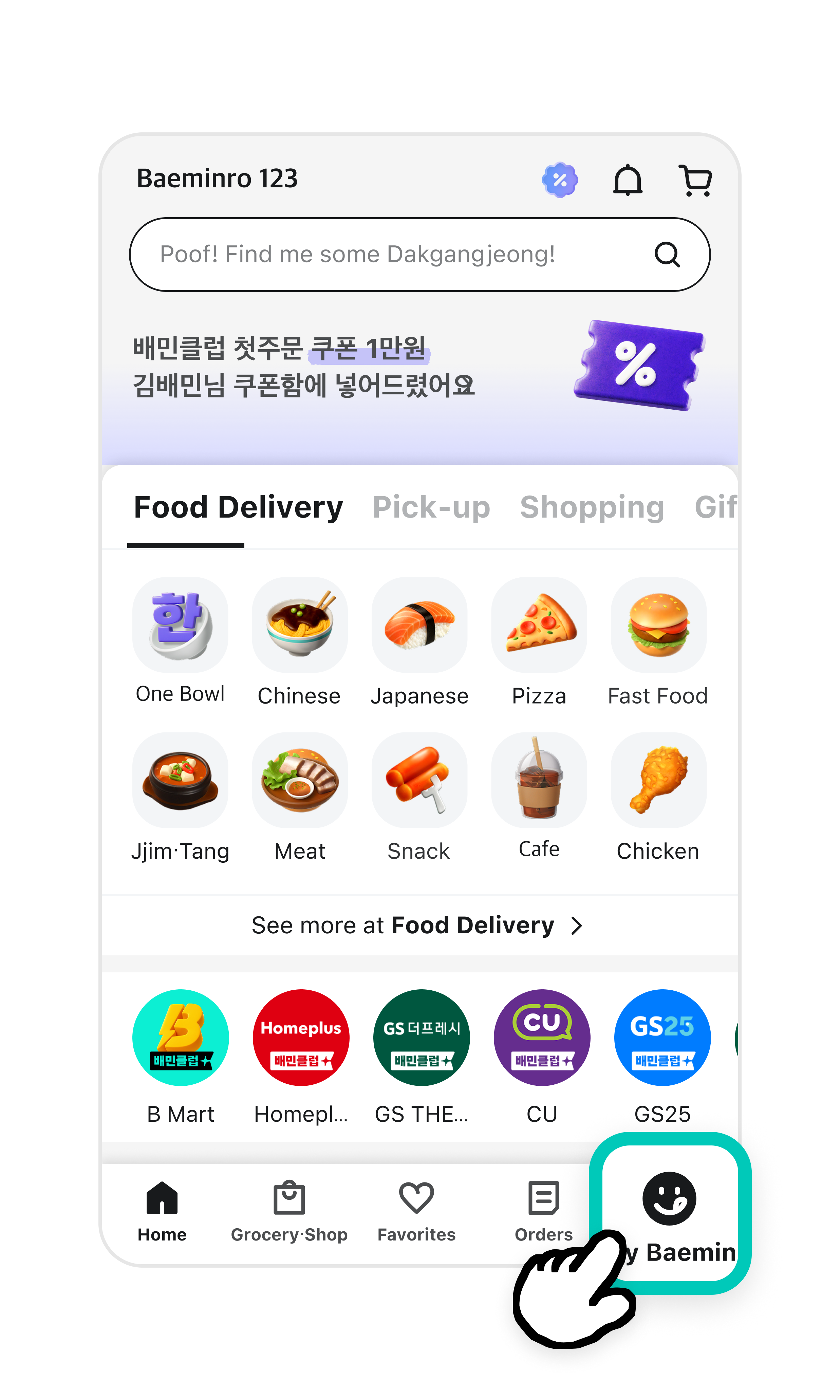
1Tap My Baemin from the home screen.

배달의민족 첫화면에서 오른쪽 맨 아래에 있는 웃고 있는 얼굴 모양의 마이배민 아이콘이 강조되어 있다.

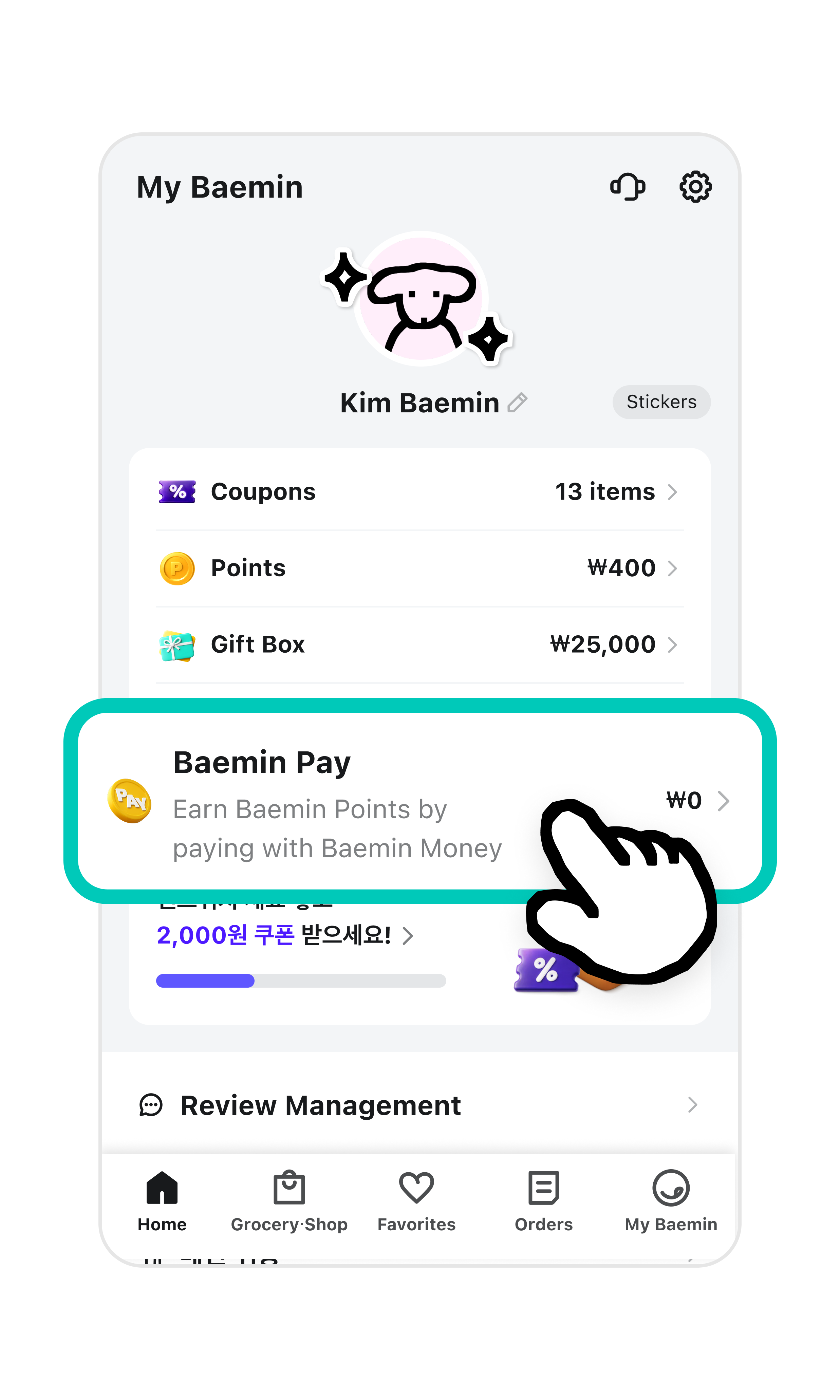
2Tap Baemin Pay

마이배민 화면의 가장 아래에 배민페이 간편하게 등록하기 버튼이 강조되어 있다.

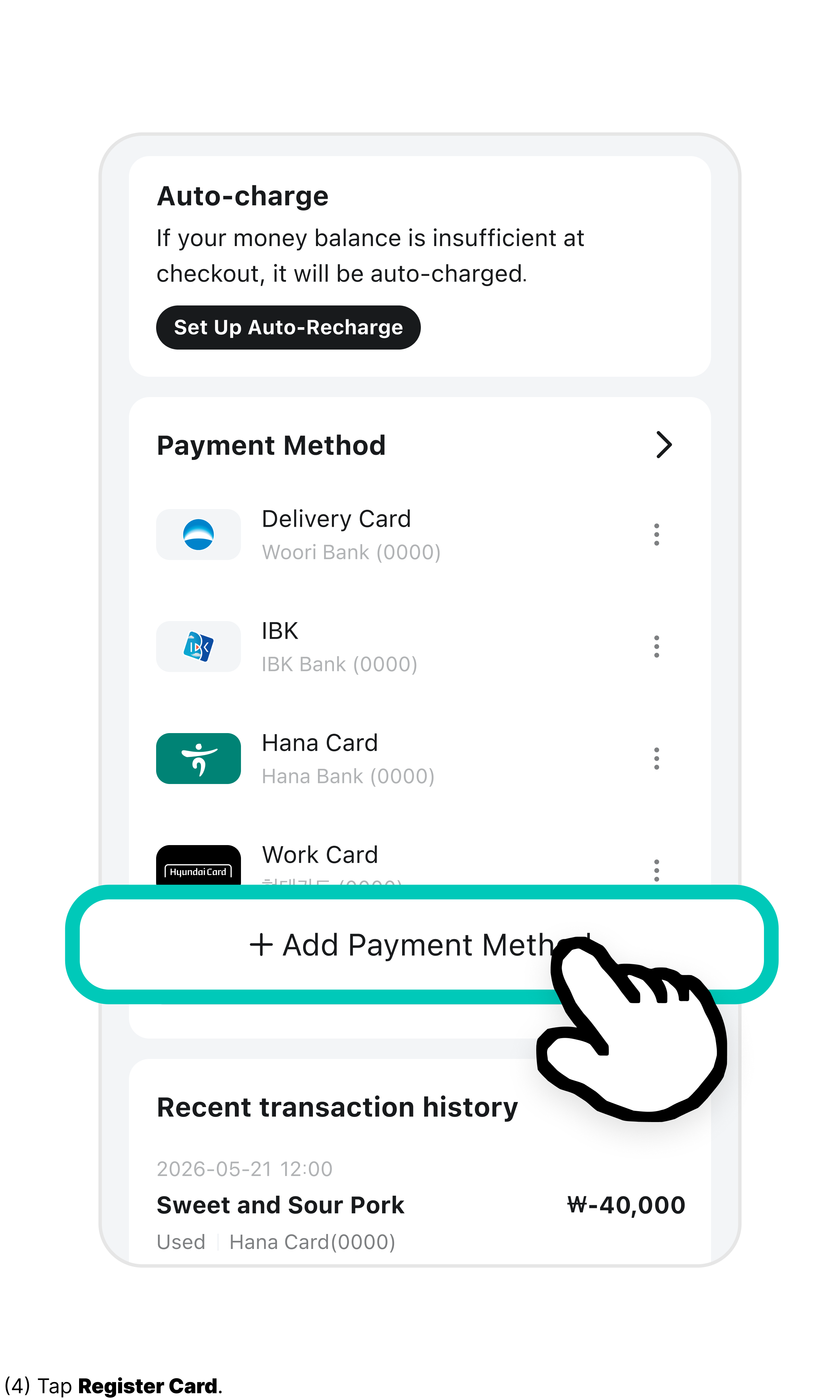
3Tap Add Payment Method.

화면 아래부분에 더하기 모양의 아이콘과 결제수단 추가 부분이 강조되어 있다.

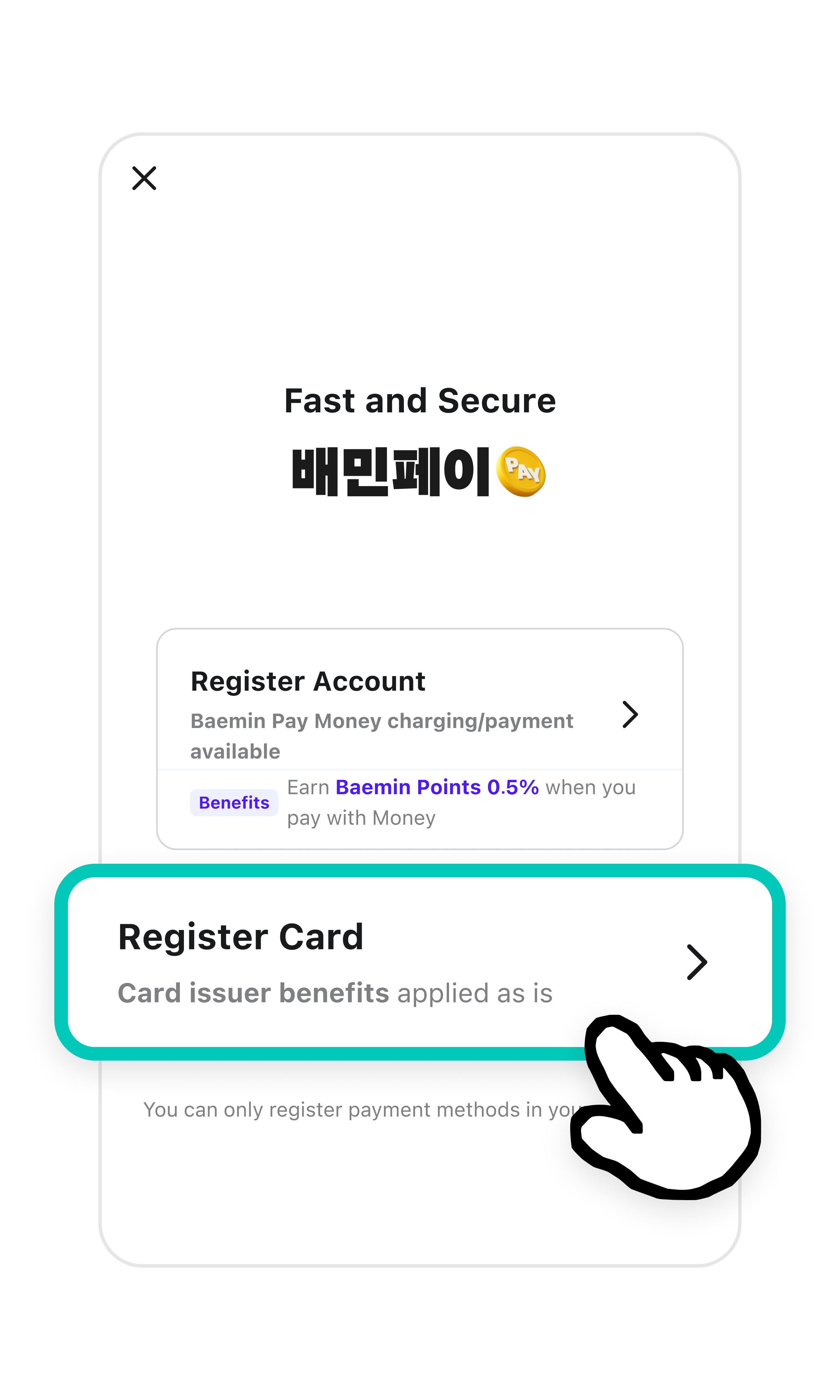
4Tap Register Card.

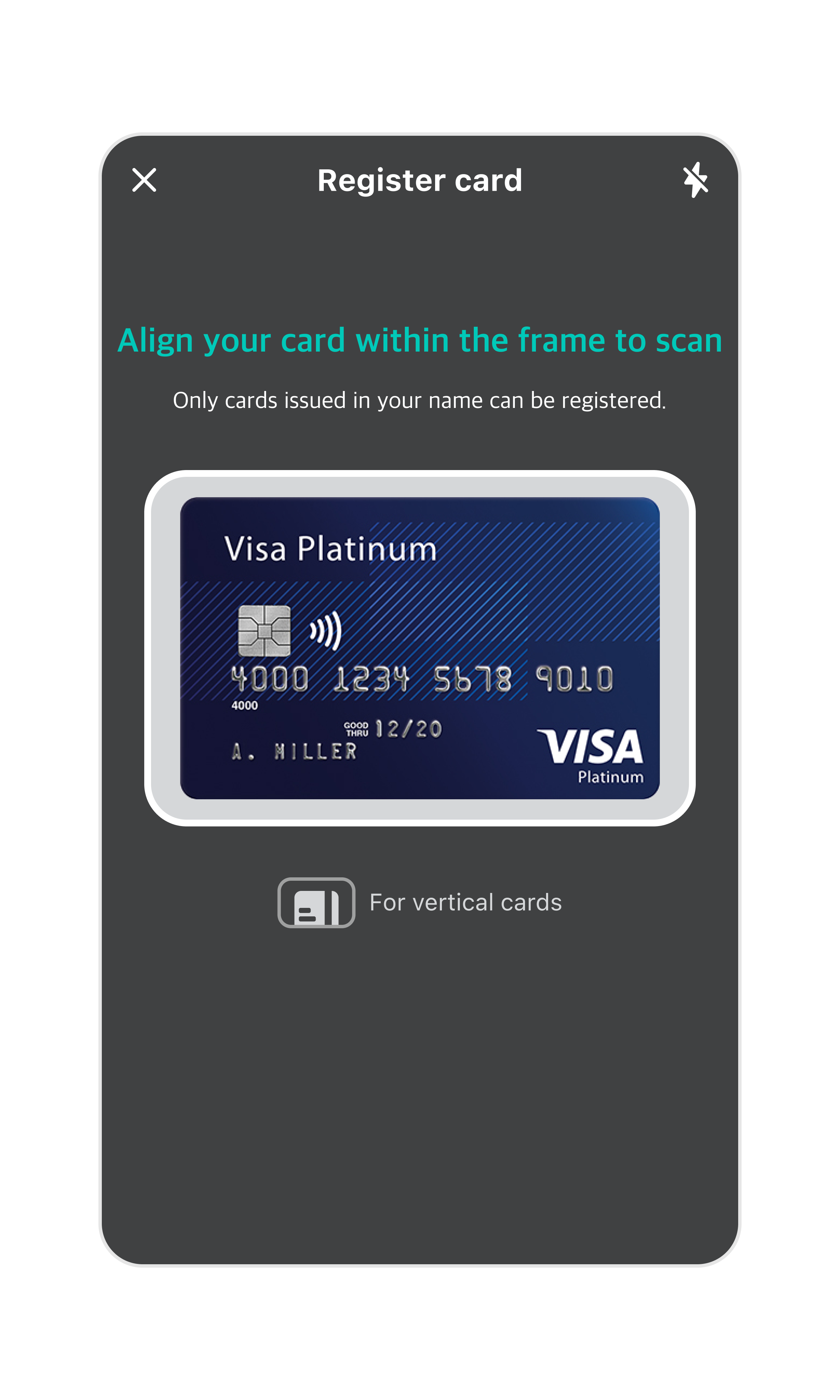
5Turn on the camera and place your card inside the frame on the screen.

  • You can only register cards issued under your own name.

휴대폰 카메라의 렌즈가 카드를 인식할 수 있게 사각형에 맞추면 카드번호와 정보가 자동으로 인식된다.

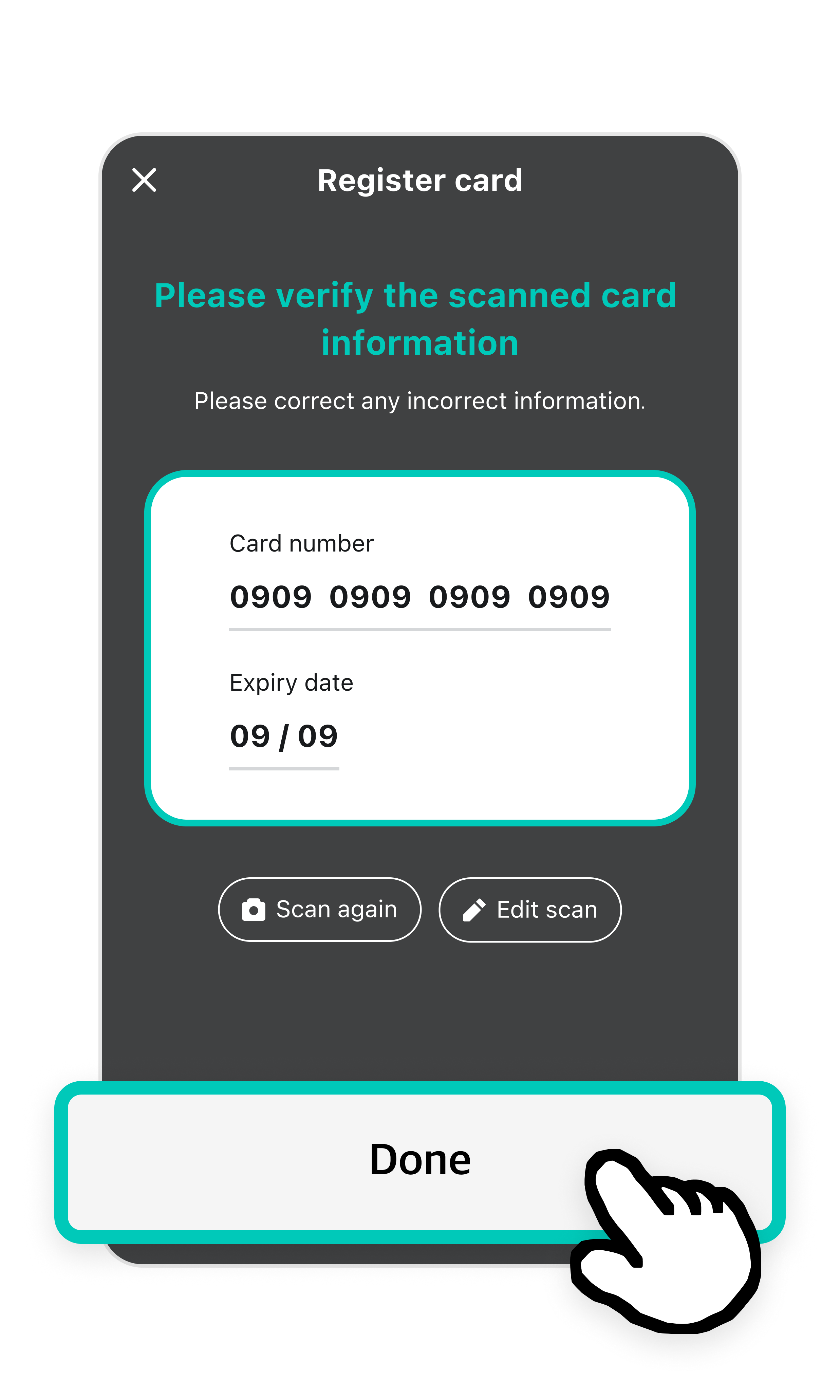
6Check the scanned card details. Tap Done if everything is correct.

  • If the information does not match your card, tap Edit Scan or Scan Again to correct it.

카드번호와 유효기간이 입력된 화면이 있고, 아래 완료버튼이 강조되어 있다.

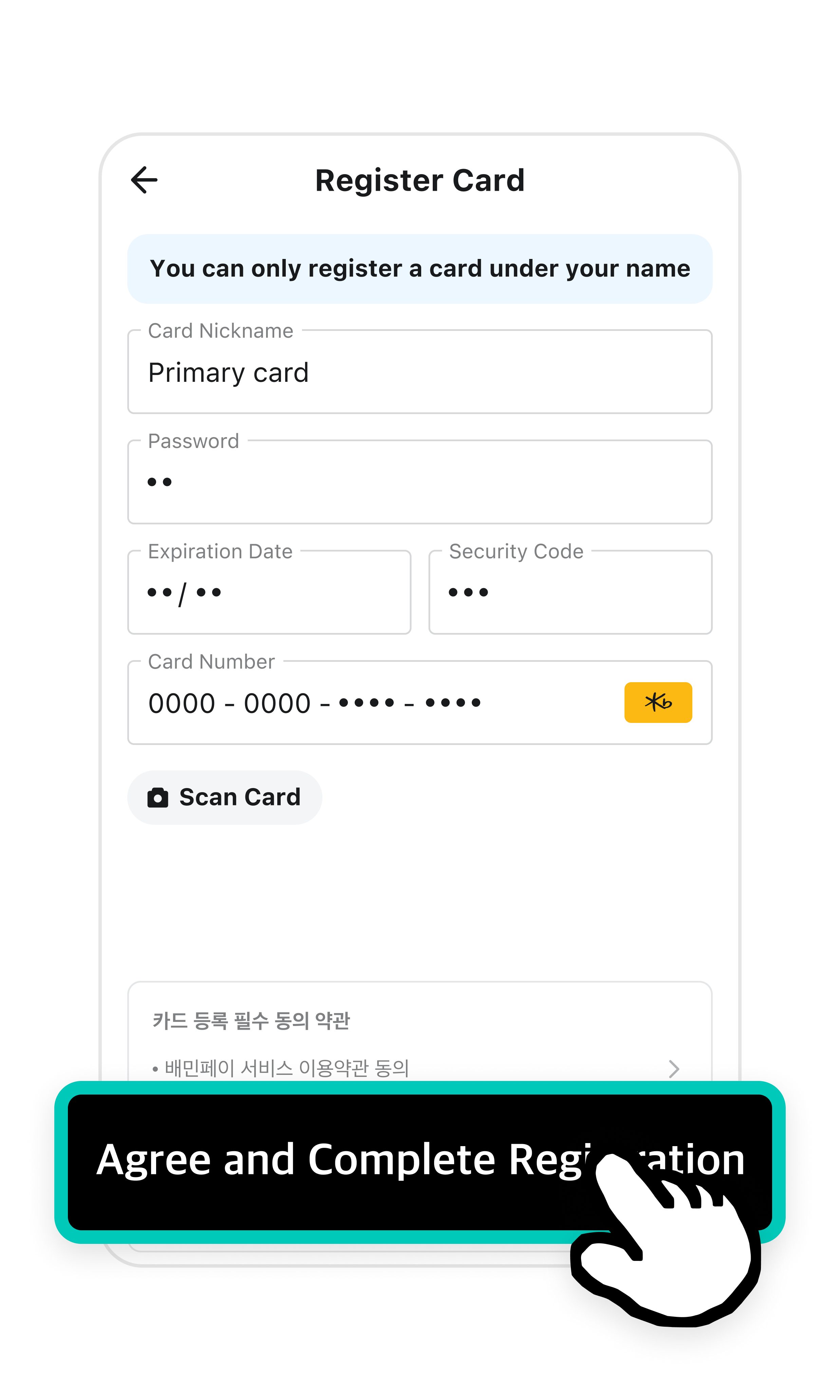
7Enter the security code and your card’s password. Then, agree and tap Agree and Complete Registration.

  • The security code is the 3-digit number printed next to "CVC" on the back of your card, usually near the signature strip.
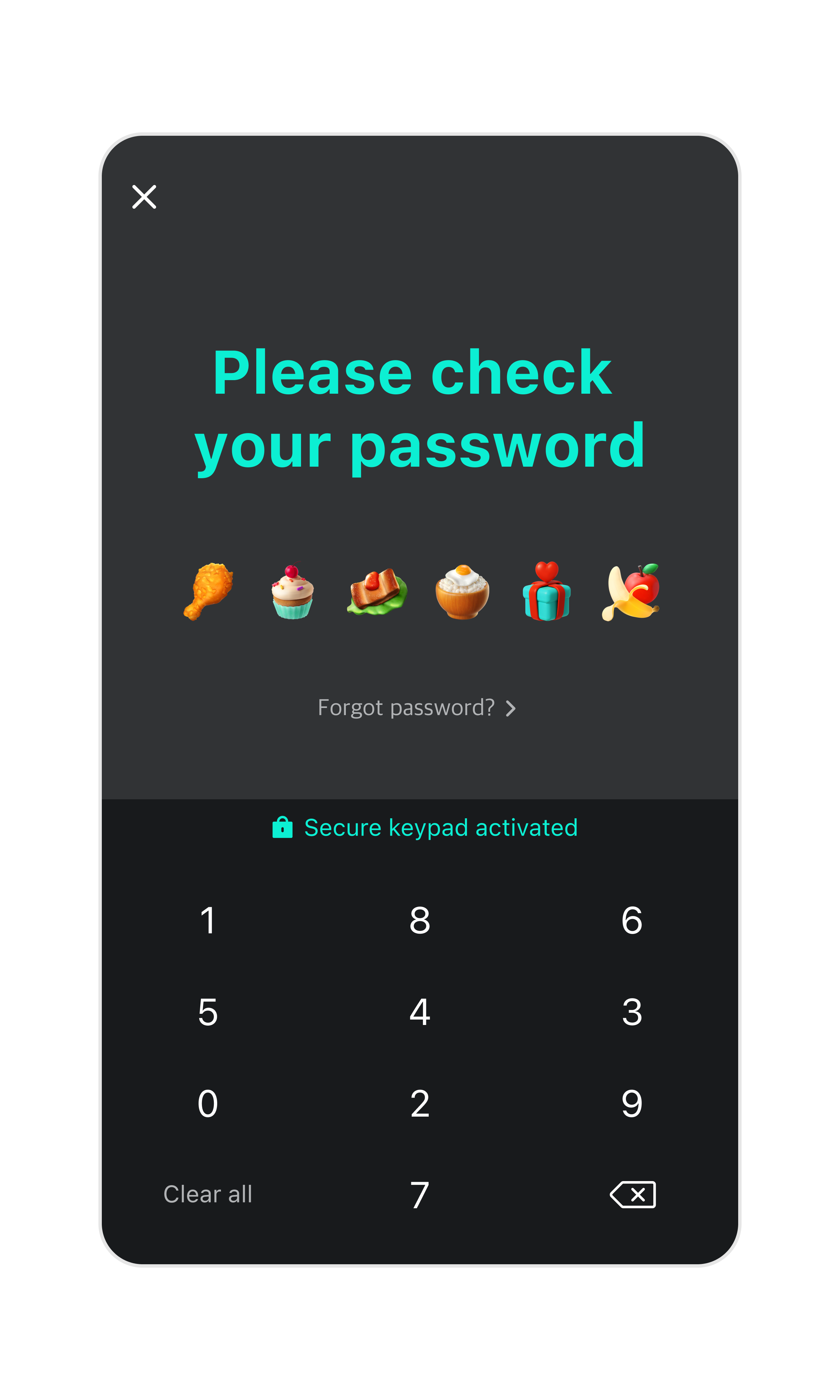
8Enter a 6-digit password to use when making payments.

숫자 키패드 화면이 활성화 되어있다.

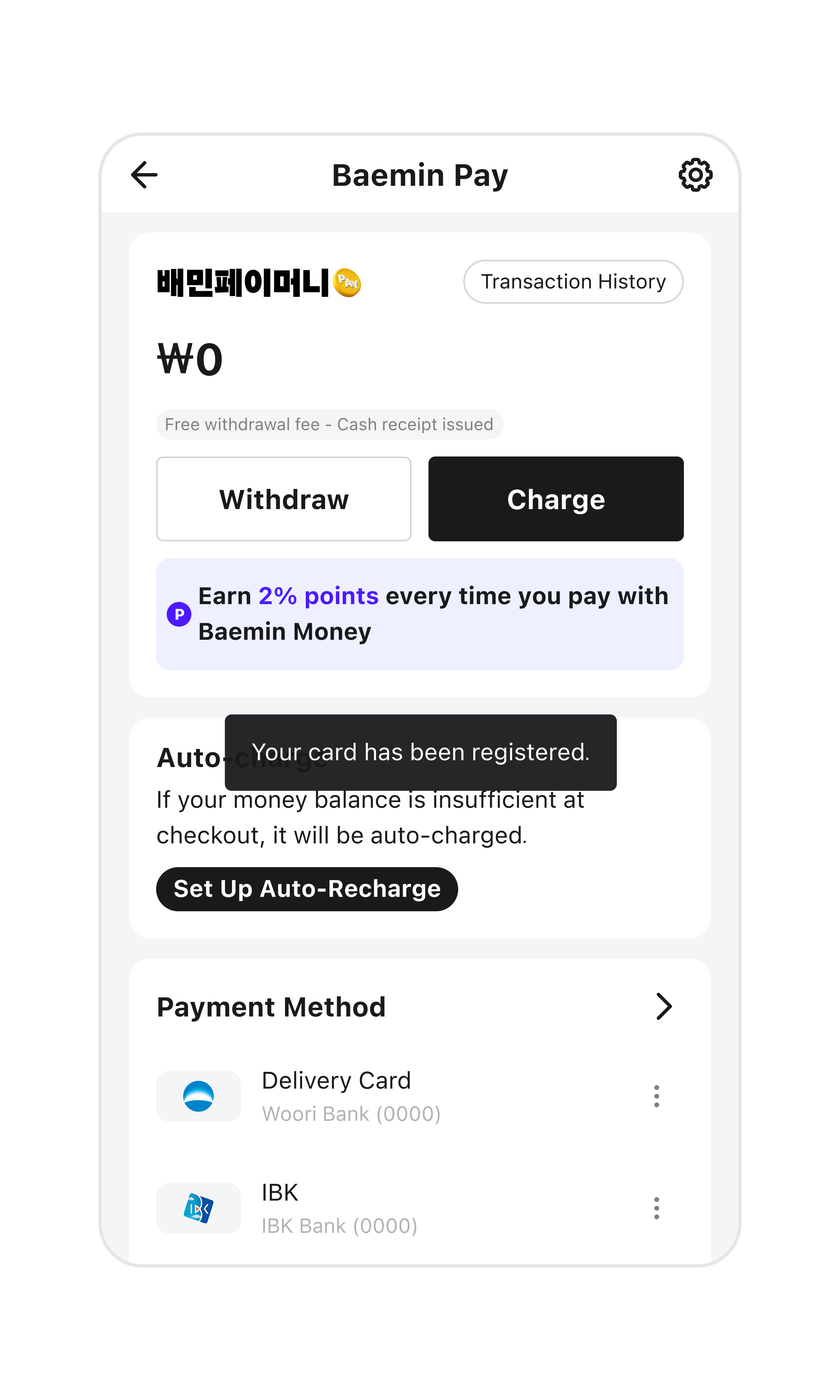
9Card registration is done! Now you can pay easily with this registered card when checking out.

Share this guide with your friends!

한국어
Font Size