Using the App

Paying for Your Order

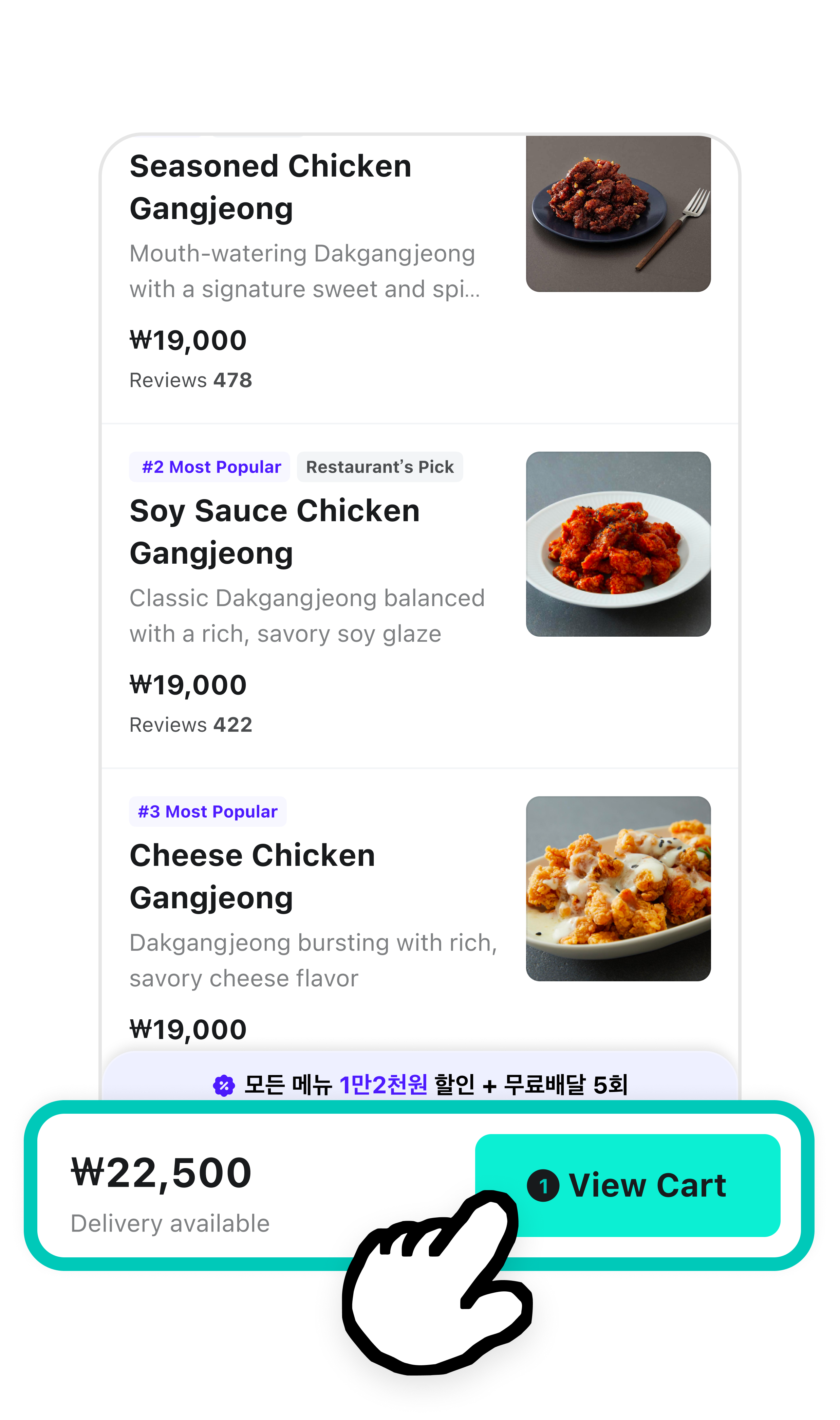
1 Tap View Cart.

배달의민족 앱 화면에서 가게의 메뉴를 담은 화면이다. 화면 아래쪽에 장바구니 보기 2만원 버튼이 강조되어 있다.

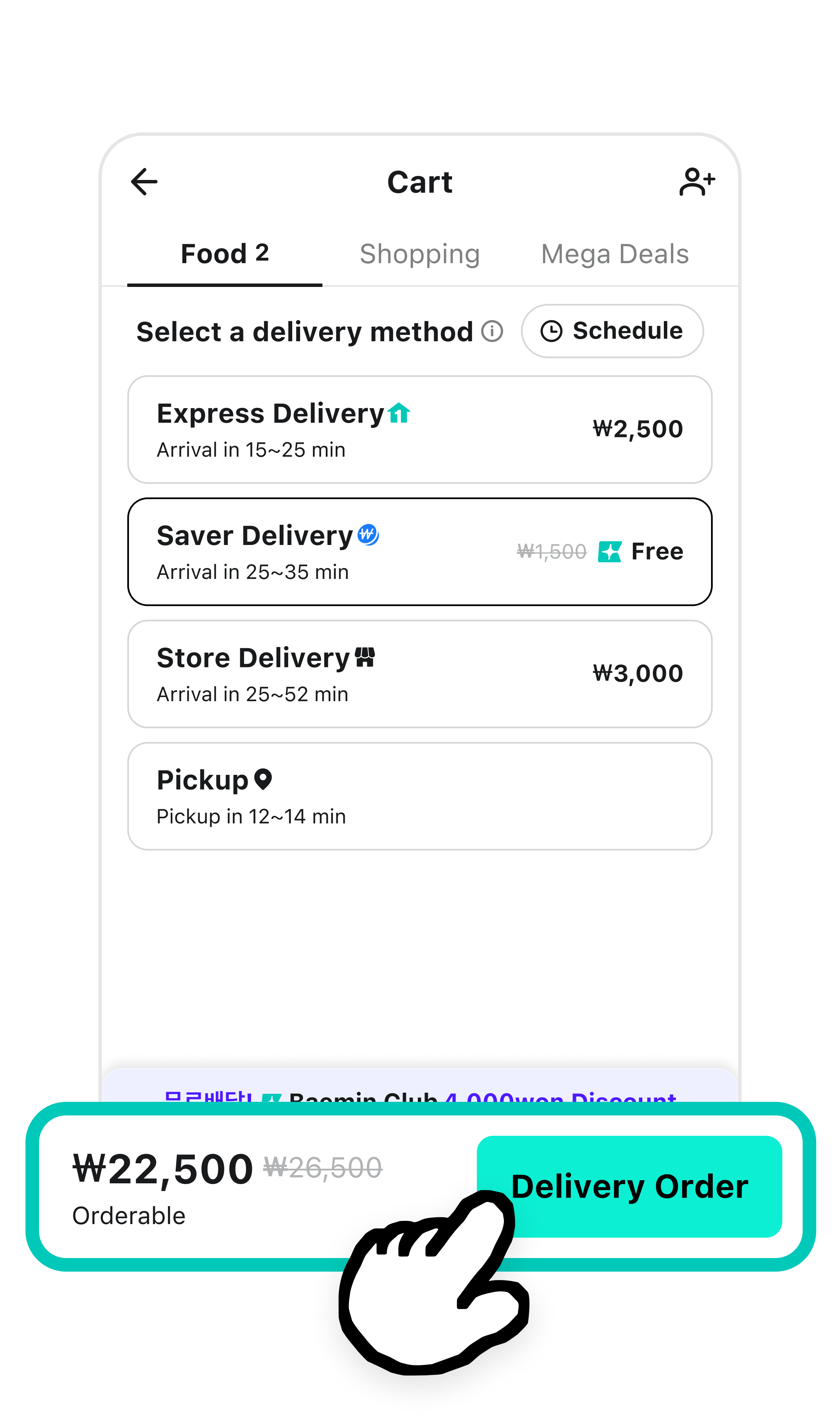
2 Choose a delivery method and tap Delivery Order.

  • Check that your menu items, quantities, and the prices are all correct.

배달의민족 장바구니 화면이다. 알뜰배달과 한집배달 중 배달방식을 선택하도록 화면이 강조되어 있다. 화면 아래쪽에는 배달방식에 따른 배달팁과 주문한 음식 금액을 합한 결제예정금액이 강조되어 있다.

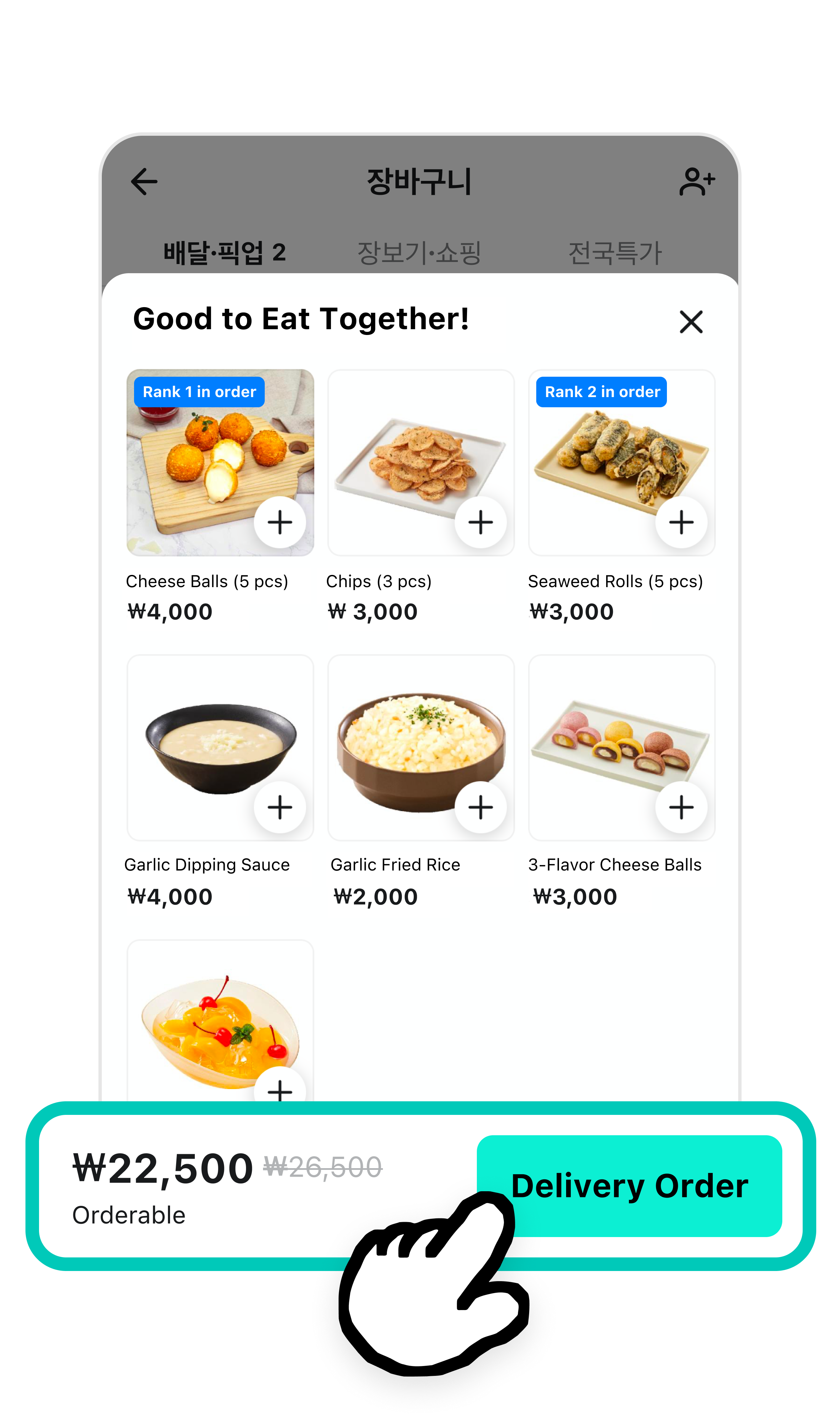
3When the "Good to Eat Together!" section appears, check if you missed any items. Tap to add more dishes.

  • If you’re ready, tap Delivery Order.

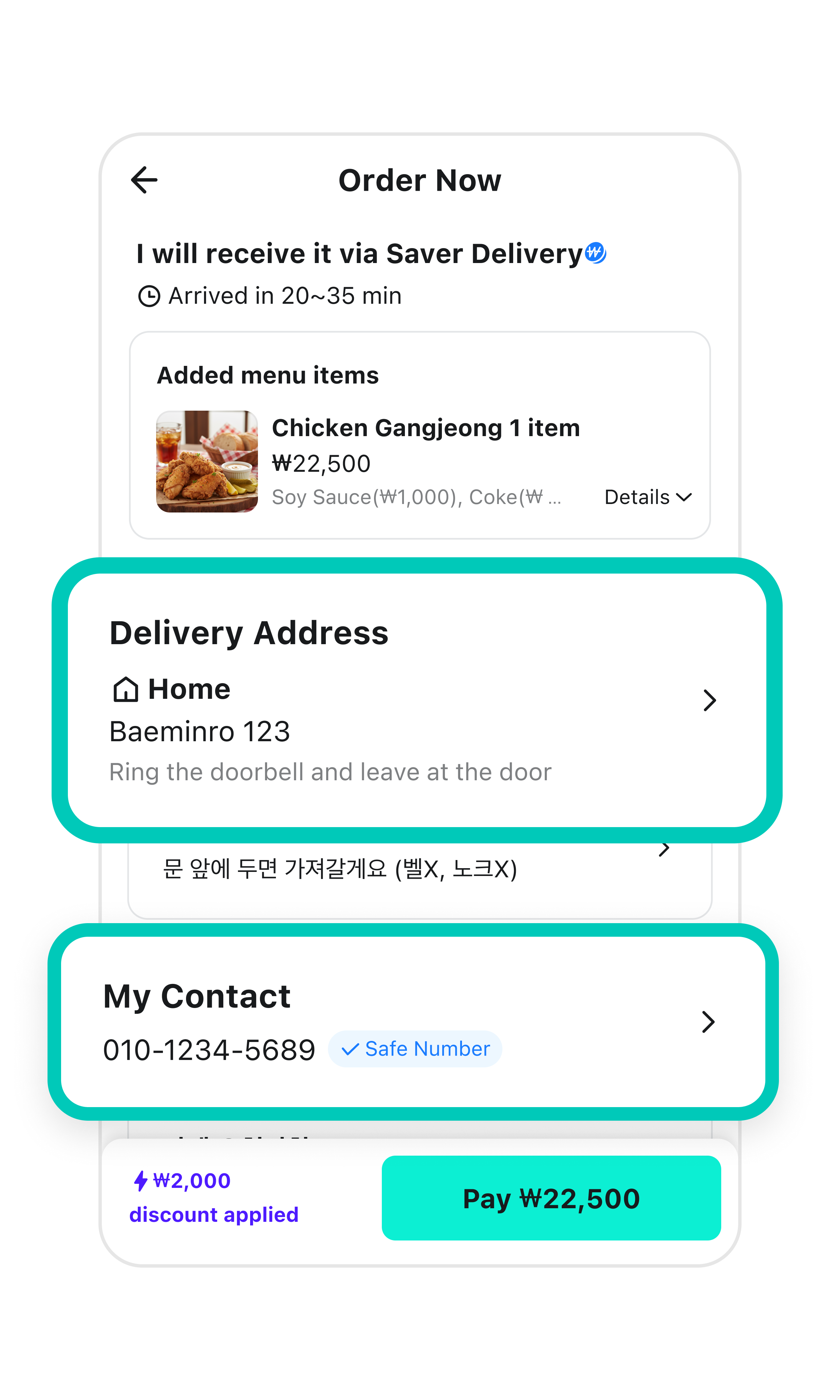
4Double-check your delivery address and phone number.

배달의민족 주문하기 화면에서 배달주소와 내 연락처가 적힌 부분이 강조되어 있다.

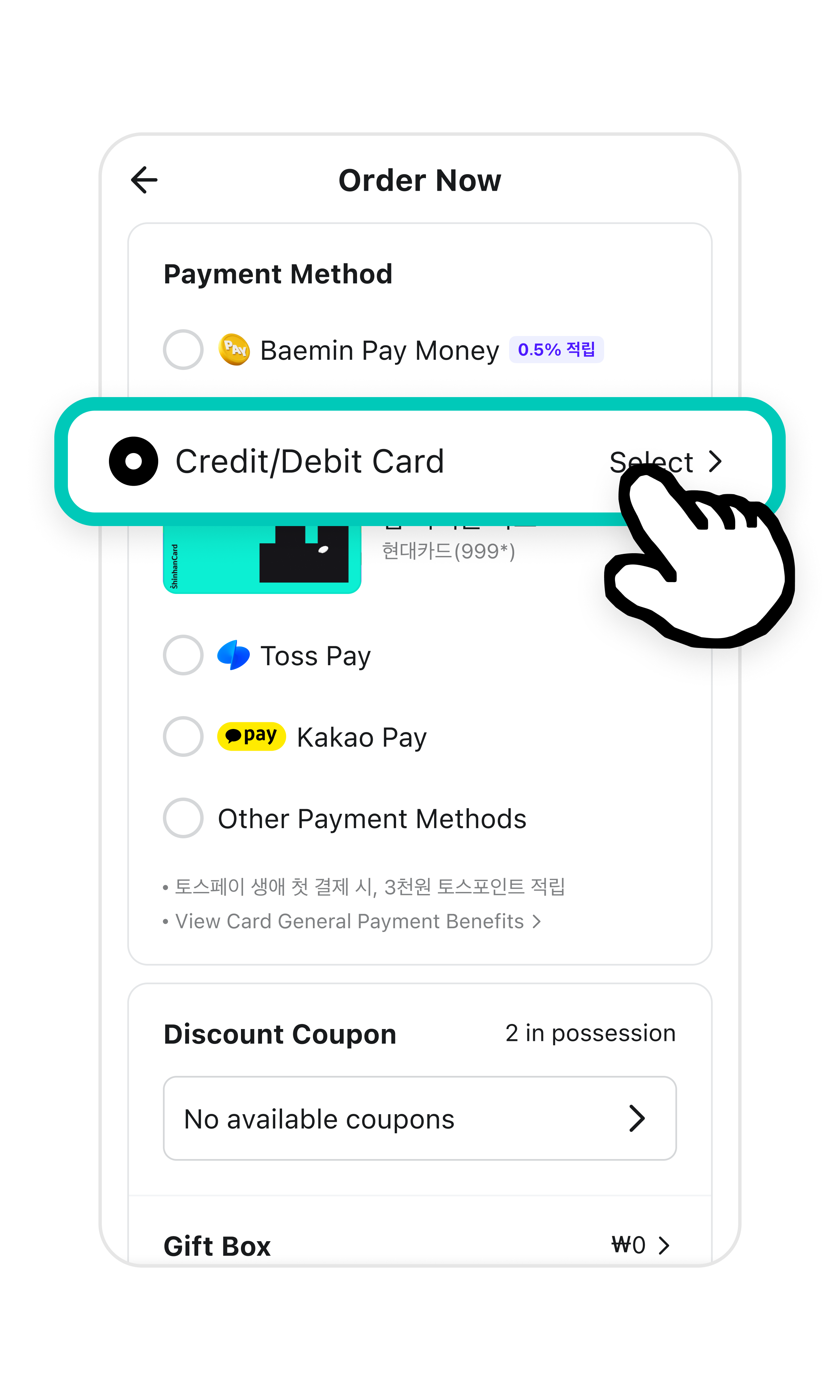
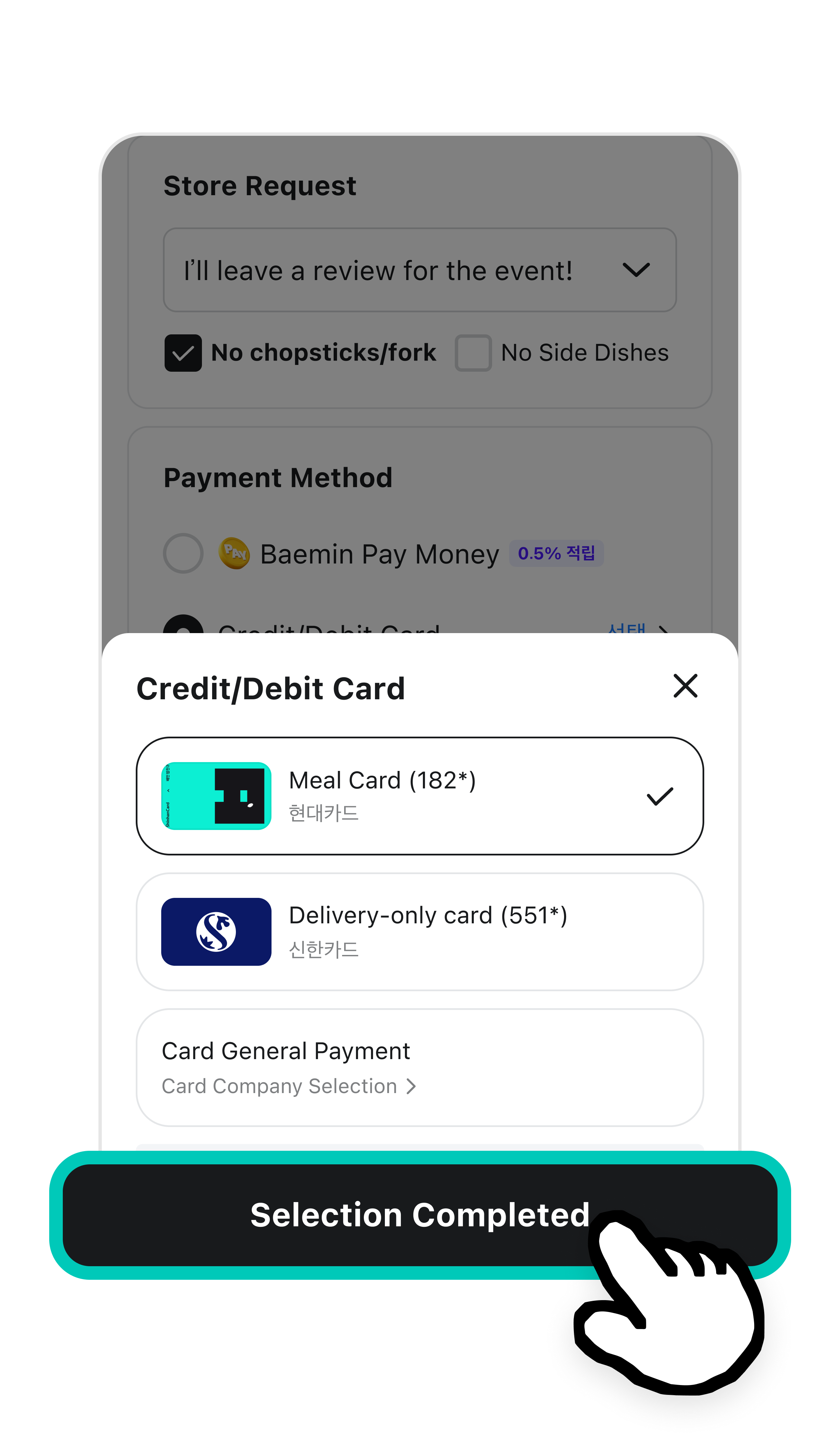
5Select the Credit/Debit Card option from the Payment Method section.

배달의민족 주문하기 화면에서 결제수단 중 신용/체크카드를 선택한 부분이 강조되어 있다.

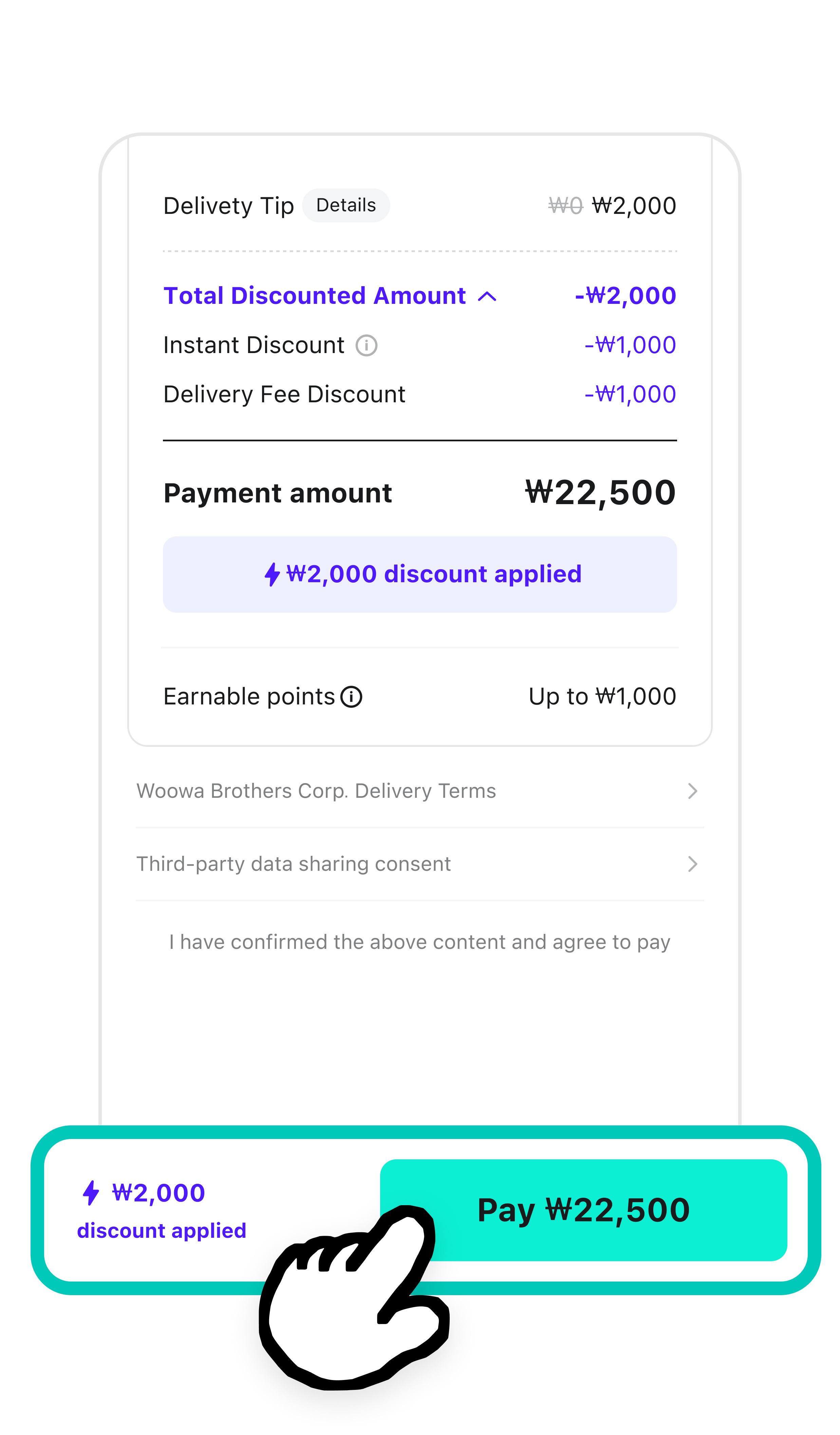
7Tap Pay.

배민 주문하기 화면에서 결제하기 버튼이 강조되어 있다.

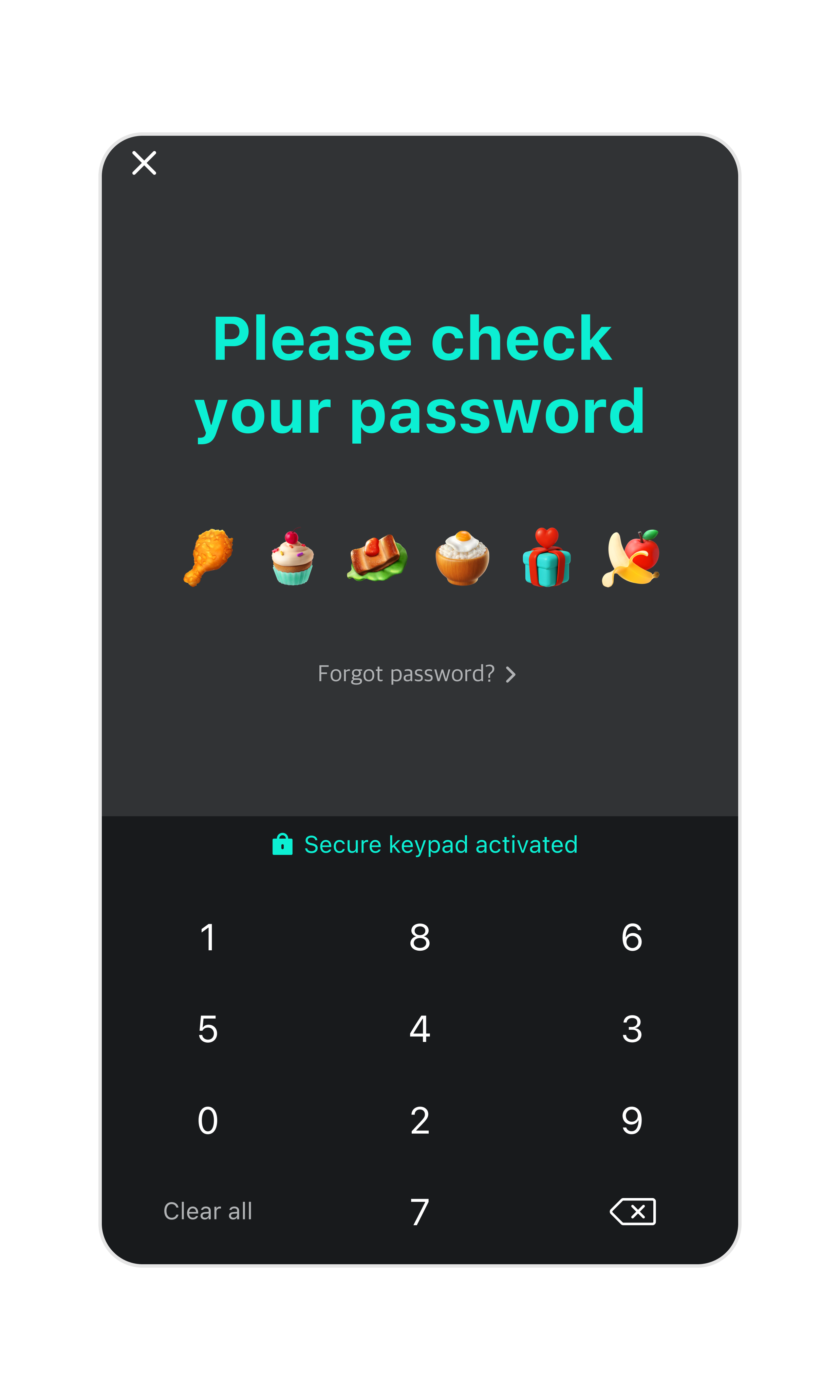
8Enter the password you set up when registering your card.

비밀번호 여섯자리를 누를 수 있는 키패드가 핸드폰 화면에 표시되어 있다. 화면의 왼쪽 아래에는 전체삭제 버튼이, 오른쪽 아래에는 앞에 입력한 하나의 숫자를 지울 수 있는 버튼이 있다.

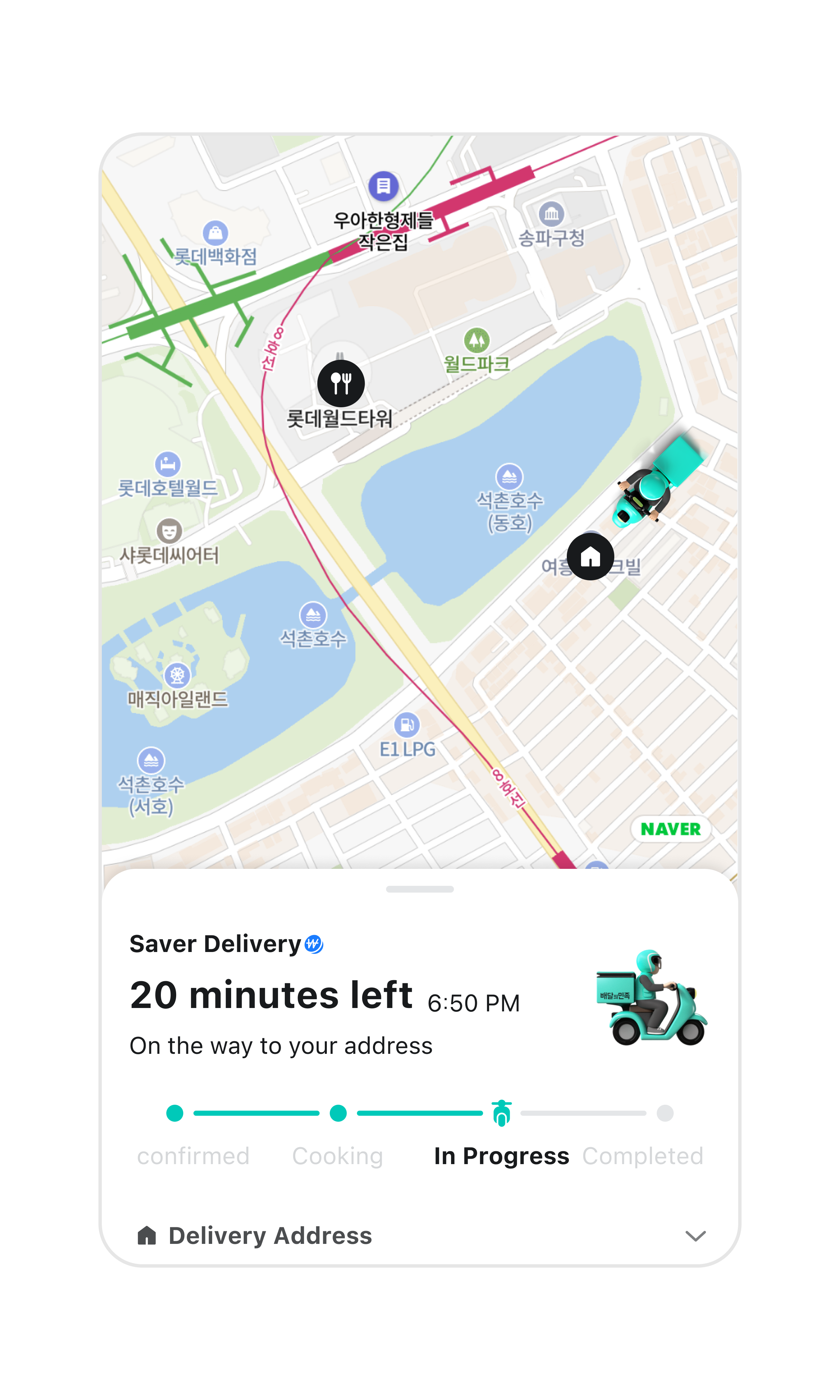
9Once the checkout is done, the store will start cooking!
You can check how much time is left until your food arrives.
주문확인 화면이다. 주문한 음식의 현재 상태인 주문확인, 조리중, 배달중, 배달완료 시간을 확인할 수 있다. 음식 도착 예정 시간이 강조되어 있다.

Share this guide with your friends!

한국어
Font Size